
Automatic Meeting & Call Transcription
Automatically transcribe meetings and calls. Record and transcribe meetings in real-time or upload recordings. Perfect for remote teams, managers, and professionals.
Automatic Meeting & Call Transcription
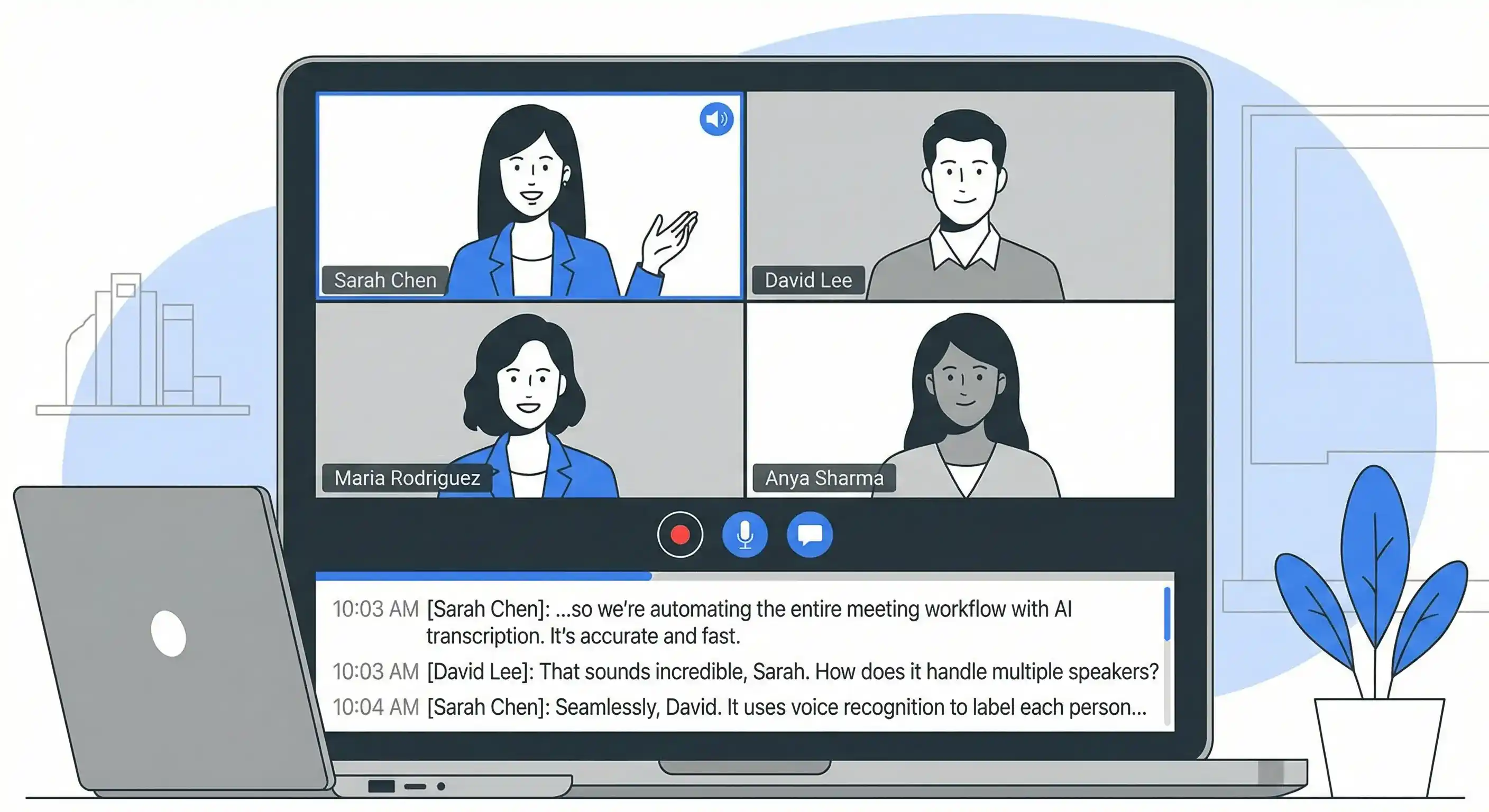
Meetings generate valuable information, decisions, and action items. But how often do you forget key points, miss action items, or struggle to remember who said what? Manual note-taking is distracting and incomplete.
Automatic meeting transcription solves this. Record your meetings, get accurate transcripts with speaker identification, and never miss important details again.
Why Transcribe Meetings?
Better Focus
Instead of frantically taking notes, you can:
- Fully participate in discussions
- Listen actively without distraction
- Engage with ideas rather than writing
- Ask better questions and contribute more
Complete Records
Meeting transcripts provide:
- Verbatim records of all discussions
- Accurate action items and decisions
- Clear attribution of who said what
- Searchable archives of past meetings
Team Alignment
Share transcripts to ensure:
- Everyone has the same information
- Remote team members stay in the loop
- Decisions are documented clearly
- Action items are never missed
Productivity
Use transcripts to:
- Create meeting summaries quickly
- Extract action items automatically
- Build knowledge bases from discussions
- Reference past decisions easily
How Meeting Transcription Works
Option 1: Live Recording
Record meetings directly in your browser:
- Start recording: Click "Record Now" in Calybro
- Allow microphone access: Grant browser permissions
- Conduct your meeting: Record up to 2 hours
- Stop recording: Transcription begins automatically
- Get your transcript: Receive a full transcript with speaker labels
Best for: Real-time meetings, video calls, in-person discussions
Option 2: Upload Recordings
Upload meeting recordings after the fact:
- Record your meeting: Use your preferred recording method
- Export audio: Save as MP3, WAV, M4A, or other formats
- Upload to Calybro: Drag and drop or select file
- Configure settings: Specify number of participants
- Get transcript: Receive transcription in seconds
Best for: Recorded meetings, archived calls, imported recordings
Option 3: Video Call Integration
For video conferencing platforms:
- Record the call: Use platform recording features (Zoom, Teams, Meet)
- Export audio: Download the audio track
- Upload to Calybro: Process the audio file
- Get transcript: Receive speaker-labeled transcript
Best for: Zoom meetings, Microsoft Teams calls, Google Meet sessions
Meeting Transcription Features
Speaker Identification
Automatically identify and label different participants:
- Each speaker clearly labeled (Speaker 1, Speaker 2, etc.)
- Edit labels to assign names after transcription
- Handles multiple participants accurately
- Works with overlapping speech
Real-Time Processing
- Transcription begins immediately after recording
- Processing faster than real-time
- 60-minute meeting transcribed in 10-15 minutes
- No waiting hours for results
Searchable Transcripts
- Search for specific topics or keywords
- Find action items quickly
- Locate decisions and discussions
- Build searchable meeting archives
Automatic Summaries
AI-generated summaries include:
- Key topics discussed
- Main decisions made
- Important points highlighted
- Quick overview for busy team members
Use Cases by Meeting Type
Team Standups
- Document daily updates and blockers
- Track progress over time
- Identify recurring issues
- Create searchable team history
Project Meetings
- Record project decisions and timelines
- Document scope changes
- Track action items and owners
- Create project knowledge bases
Client Calls
- Maintain accurate client communication records
- Document requirements and feedback
- Track commitments and deliverables
- Create client history archives
Training Sessions
- Create training material from sessions
- Build knowledge bases from content
- Generate FAQs from questions asked
- Make training accessible and searchable
One-on-Ones
- Document feedback and development discussions
- Track goals and progress
- Maintain records for performance reviews
- Create searchable employee history
Board Meetings
- Maintain official meeting records
- Document decisions and votes
- Create searchable corporate archives
- Ensure compliance and transparency
Best Practices
Before the Meeting
- Test recording: Ensure audio quality is good
- Inform participants: Let people know you're recording
- Prepare vocabulary: Add names and technical terms
- Set expectations: Explain how transcripts will be used
During the Meeting
- Use quality microphones: Better audio = better transcription
- Minimize background noise: Find quiet spaces when possible
- Speak clearly: Help ensure accurate transcription
- Avoid talking over each other: Wait for speakers to finish
After the Meeting
- Review the transcript: Check for accuracy
- Edit speaker labels: Assign names to participants
- Extract action items: Use the summary or search function
- Share appropriately: Distribute transcripts to relevant team members
- Archive systematically: Organize transcripts for easy retrieval
Privacy and Security
Meeting transcripts are:
- Private by default: Only you can access them
- Secure: Encrypted in transit and at rest
- Controllable: You decide what to share
- Compliant: Suitable for business use when handled appropriately
Important: Always inform meeting participants that you're recording and transcribing. Respect privacy requirements and company policies.
Integration with Workflows
Note-Taking Apps
Export transcripts to:
- Notion, Obsidian, or Roam for knowledge management
- Evernote or OneNote for organization
- Google Docs or Microsoft Word for collaboration
Project Management
Use transcripts to:
- Create tasks from action items
- Document decisions in project tools
- Build project wikis from discussions
- Track progress over time
CRM Systems
For sales and client meetings:
- Document client conversations
- Track requirements and feedback
- Maintain communication history
- Create client profiles from discussions
Cost and Efficiency
Time Savings
- Manual note-taking: 30-60 minutes per meeting
- Automatic transcription: 2-3 minutes of setup, then automatic
- Review and edit: 5-10 minutes to polish transcript
- Total time saved: 20-50 minutes per meeting
Cost Comparison
For regular meeting transcription:
- Human transcription services: $1-2 per minute
- Calybro subscription: €24/month for regular use
- ROI: Significant savings for teams with frequent meetings
Getting Started
Ready to transcribe your meetings? Start with Calybro's free plan and get 5 hours of transcription per month.
Record your next meeting, get a complete transcript with speaker identification, and never miss important details again.